

Backup Server Build Guide: Hardware for Veeam and Proxmox Backup Server
A backup server isn't a production server with the workload turned down. It has inverted priorities, and Veeam...

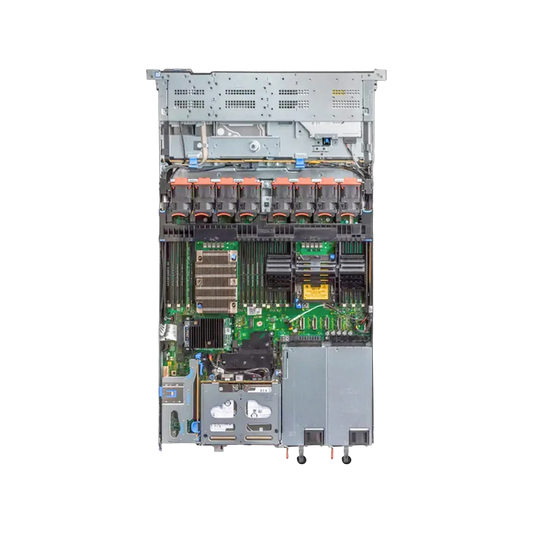
If you recently deployed a Dell PowerEdge R640, one of the first things you should do is optimize the BIOS and iDRAC settings for your workload. Proper tuning can improve virtualization performance, storage responsiveness, thermal efficiency, and overall system stability.
This guide covers the most recommended settings for:
The Dell PowerEdge R640 is widely used for virtualization, private cloud, databases, and enterprise workloads because of its dense 1U design and strong Xeon Scalable platform. However, factory-default BIOS settings are designed for broad compatibility — not maximum performance.
Proper tuning helps:
Before changing settings:
You can update firmware directly through:
Path: System BIOS → Processor Settings
Enable:
These settings are required for:
Path: System BIOS → Integrated Devices
SR-IOV improves virtual NIC performance and lowers CPU overhead for VM networking.
Path: System BIOS → System Profile Settings
This disables aggressive power-saving states and gives more stable CPU frequencies. For virtualization hosts:
| Setting | Recommended |
|---|---|
| Logical Processor | Enabled |
| Hyper-Threading | Enabled |
| Turbo Boost | Enabled |
| C States | Disabled (for max performance) |
| Energy Efficient Turbo | Disabled |
| CPU Power Management | Maximum Performance |
Path: Processor Settings
Why?
Avoid enabling Node Interleaving unless specifically required by your workload or application vendor.
| Setting | Recommended |
|---|---|
| Memory Operating Mode | Optimizer Mode |
| Patrol Scrub | Enabled |
| Memory Refresh Rate | 1x |
| ECC | Enabled |
For most virtualization deployments:
RAID Type
Controller Modes
Path: Boot Settings
UEFI improves compatibility with modern hypervisors and NVMe storage.
Network
Security
Monitoring
Path: iDRAC → Thermal
Data Center / Production
Thermal Profile = Maximum Performance (Data Center)
Office / Lab
Thermal Profile = Balanced
Optional: Disable C States for lower latency in production workloads.
1. Leaving BIOS in Default Mode
Default power profiles reduce performance significantly.
2. Using Legacy Boot
Modern hypervisors work better with UEFI.
3. Disabling Hyper-Threading
Can reduce VM density.
4. Wrong RAID Mode
ZFS should use HBA/JBOD instead of hardware RAID.
| Setting | Recommended |
|---|---|
| System Profile | Performance |
| VT-x | Enabled |
| VT-d | Enabled |
| Hyper-Threading | Enabled |
| SR-IOV | Enabled |
| Boot Mode | UEFI |
| Node Interleaving | Disabled |
The Dell PowerEdge R640 remains one of the best 1U enterprise servers for virtualization, private cloud, storage, and business workloads. With proper BIOS tuning, it delivers excellent efficiency and stability for:
For most deployments, enabling virtualization features, using Performance mode, keeping NUMA active, and configuring storage correctly will provide the best results.









A backup server isn't a production server with the workload turned down. It has inverted priorities, and Veeam...
The question behind every refurbished purchase: how long before it fails? The answer comes from failure data on...
A rack has to outlast everything else in the server room. Buy a shallow one to save money...
"Use enterprise SSDs" is correct advice — and incomplete, because the category spans drives rated for a few...


