

Backup Server Build Guide: Hardware for Veeam and Proxmox Backup Server
A backup server isn't a production server with the workload turned down. It has inverted priorities, and Veeam...

Selecting a 1U rack server shapes your data center for years. Choose well and you balance cost, performance, and growth. Choose poorly and you overspend, run out of headroom, or lock yourself into a platform that can't keep pace.
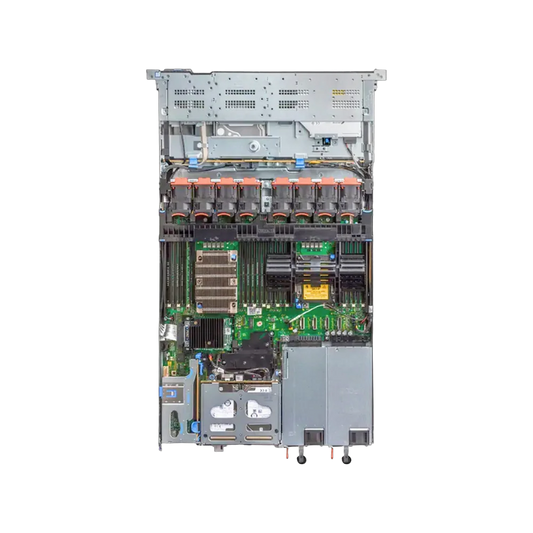
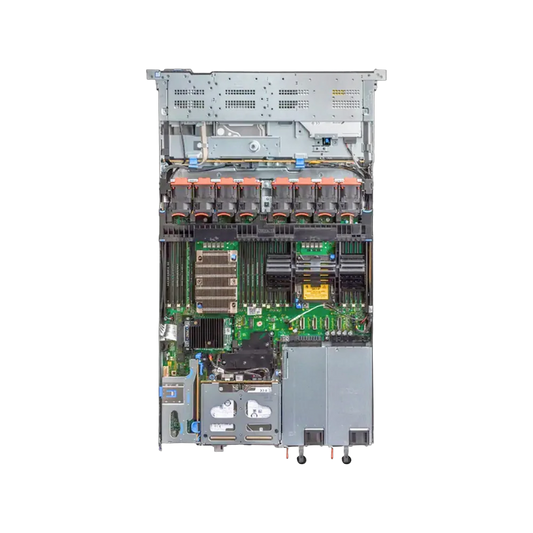
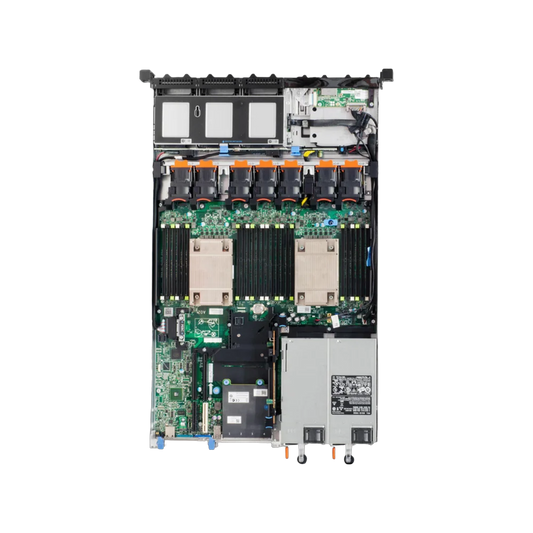
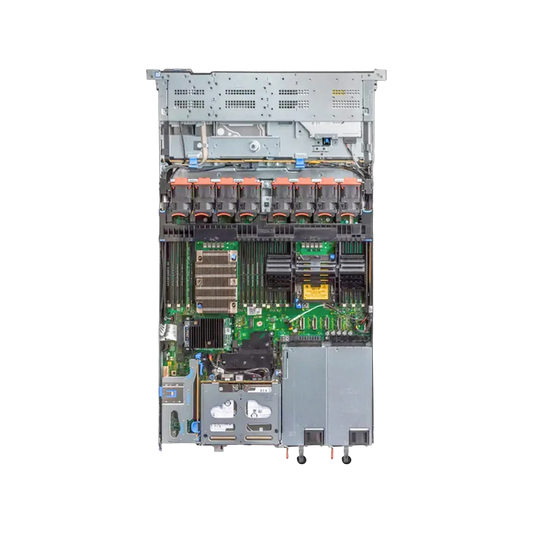
The Dell PowerEdge R640, R650, and R660 all deliver dense, dependable compute in a single rack unit, but they belong to three distinct technology generations — and that difference matters more than the similar model numbers suggest. This guide gives you a deep, practical comparison of all three servers.
This is an evergreen technical comparison based on each platform's published architecture. Use it to understand fit and trade-offs, then confirm exact configurations and stock with your Dell partner.

All three are 1U, dual-socket Intel Xeon rack servers built for general-purpose data center work. They share a form factor, the iDRAC management family, and Dell's broader OpenManage ecosystem. What separates them is the generation of silicon inside:
PowerEdge R640
1st/2nd Gen Xeon Scalable
Skylake / Cascade Lake
PowerEdge R650
3rd Gen Xeon Scalable
Ice Lake — PCIe Gen4, more DIMMs
PowerEdge R660
4th/5th Gen Xeon Scalable
Sapphire Rapids / Emerald Rapids — DDR5, PCIe Gen5
Think of these three as steps on a ladder. Each rung widens the memory ceiling, speeds up the I/O bus, and improves performance per watt. The right choice depends on how far up that ladder your workloads need you to climb.
A detailed, side-by-side look at how the three platforms line up. Treat every figure as a platform-level capability that varies by exact configuration.
| Feature | R640 | R650 | R660 |
|---|---|---|---|
| Generation | 1st/2nd Gen Xeon Scalable | 3rd Gen Xeon Scalable | 4th/5th Gen Xeon Scalable |
| Microarchitecture | Skylake / Cascade Lake | Ice Lake | Sapphire Rapids / Emerald Rapids |
| Form Factor | 1U, Dual-Socket | 1U, Dual-Socket | 1U, Dual-Socket |
| Memory Type | DDR4 | DDR4 | DDR5 |
| DIMM Slots | 24 | 32 | 32 |
| Memory Bandwidth | Baseline | Improved | Highest (DDR5) |
| PCIe Generation | Gen3 | Gen4 | Gen5 |
| NVMe Support | Yes (Limited Bays) | Yes (Broader) | Yes (Extensive) |
| GPU Support | Entry-Level | Single-Wide / Select Cards | Modern Accelerators |
| High-Speed Networking | Up to 25GbE | 25–100GbE | 100GbE+ Capable |
| Management | iDRAC9 + Lifecycle Controller | iDRAC9 + Lifecycle Controller | iDRAC9 (Enhanced Features) |
| Security Posture | Established | Enhanced | Most Current |
| Power Efficiency | Good for Its Era | Better | Best in Group |
| Best Fit | Cost-Effective Consolidation | Balanced Modern Workloads | Future-Ready, High Throughput |
Each server reflects the silicon era it was designed around, and that foundation drives almost every other difference.
The R640 sits on a mature Skylake/Cascade Lake platform. Years of deployment mean broad driver support, stable firmware, and predictable behavior. For teams that value a known quantity over the latest features, this maturity is a genuine asset.
The R650 moves to Ice Lake, which increases core counts and introduces PCIe Gen4 — the inflection point where per-lane I/O bandwidth roughly doubled over the prior generation. More DIMM slots and improved memory bandwidth make it a strong fit for denser virtualization and analytics.
The R660 lands on Sapphire Rapids and Emerald Rapids. It introduces DDR5 memory, PCIe Gen5, and support for newer accelerator interconnects like CXL. If you're planning for several years of growth — or running AI inference and data-heavy workloads — this is the platform designed for that future.
The generational jump affects far more than clock speed. Core counts, memory bandwidth, and instruction-set features all shift with each step.
R640
Solid per-core performance for everyday virtualization and line-of-business apps, with lower core ceilings than newer models.
R650
Higher core counts and better memory bandwidth suit denser virtualization, VDI, and analytics.
R660
Highest core counts and most modern instruction support, including built-in features that accelerate AI inference and analytics.
If your software licensing is per-core, factor that into the math early. Newer high-core CPUs pack more density into 1U, but they can also raise licensing costs.
Memory often becomes the real constraint in dense virtualization, so plan it carefully. Our Server RAM Compatibility Guide explains how to select the right RDIMM and capacity for enterprise workloads.
For RAM-hungry workloads like in-memory databases or large VM hosts, the R650 and R660 give you more room to grow. The R660's DDR5 bandwidth advantage matters most for memory-bound applications, where data movement — not raw core count — is the bottleneck.
All three support a mix of SAS, SATA, and NVMe drives, but NVMe flexibility expands with each generation. If you're comparing storage technologies, see our NVMe vs SAS vs SATA SSD guide .
R640
Supports NVMe, though in more limited bay configurations.
R650
Broader all-NVMe and mixed-drive options, helped by PCIe Gen4.
R660
Extensive NVMe support over PCIe Gen5, ideal for storage-intensive and low-latency workloads.
If you're running software-defined storage or high-IOPS databases, the newer platforms reduce bottlenecks and unlock faster drives. The R660 in particular pairs well with the latest NVMe SSDs that can saturate older buses.
This is where the generational gap shows most clearly, and it directly affects networking and acceleration.
Any 1U form factor limits GPU density compared to 2U platforms. If you need multiple full-size GPUs, a 2U server may serve you better regardless of generation.
Performance per watt improves with each generation, thanks to newer process technology and smarter power management.
R640
GoodEfficient for its era, but trails newer chips on work delivered per watt.
R650
BetterNoticeable improvement from Ice Lake's more modern process node.
R660
BestLeads the group — helps reduce both energy costs and cooling demand.
Across a large fleet, that efficiency gap compounds into meaningful savings over a server's life. When you compare total cost of ownership rather than purchase price alone, the newer platforms often look more attractive at scale.
All three use iDRAC9 with Lifecycle Controller, so daily administration feels familiar across generations. You get out-of-band management, automated provisioning, and integration with OpenManage tools.
The R660 ships with a newer iDRAC feature set and security enhancements, including more advanced telemetry and supply-chain protections. For regulated industries or zero-trust environments, that can tip the decision on its own.
R640 Use Cases
R650 Use Cases
R660 Use Cases
Each platform is a generational dead end for CPU upgrades — you can't drop a newer Xeon into an older chassis. So plan around the platform you choose.
The smartest migrations align with your existing refresh cycle. Map your three-to-five-year workload growth and choose the platform that carries you through it.
R640
Pros
Cons
R650
Pros
Cons
R660
Pros
Cons
Tight budget, standard workloads: The R640 delivers proven reliability without paying for capabilities you won't use.
Balanced modernization: The R650 is the sensible middle ground — modern PCIe Gen4 and strong density without top-tier pricing.
Future-ready and performance-critical: The R660 is the pick for AI inference, high-throughput databases, and multi-year investment protection.
A simple decision rule: buy for the workload you'll run in three years, not just the one you run today.
Before you commit to any Dell PowerEdge model, work through these questions:
The Dell PowerEdge R650 uses 3rd Generation Intel Xeon Scalable processors, supports PCIe Gen4, and offers higher memory capacity compared to the R640, making it a stronger platform for virtualization, databases, and modern enterprise workloads.
The R660 introduces support for 4th and 5th Generation Intel Xeon Scalable processors, DDR5 memory, and PCIe Gen5 connectivity. It delivers higher performance, improved efficiency, and greater future scalability than the R650.
Yes, especially for organizations running virtualization clusters, AI workloads, high-performance databases, or applications that benefit from DDR5 memory and PCIe Gen5 storage and networking technologies.
All three servers support certain GPU configurations, but the R660 offers the best support for modern accelerators. The R640 is limited to entry-level options, while the R650 provides broader support for selected enterprise GPUs.
Yes. All three platforms use Dell iDRAC9 with Lifecycle Controller, providing remote management, monitoring, firmware updates, and deployment automation capabilities.
The Dell PowerEdge R660 is the best choice for AI inference workloads due to its support for newer Xeon processors, DDR5 memory, PCIe Gen5 expansion, and improved accelerator compatibility.
The R640, R650, and R660 share a 1U form factor but represent three steps of technological progress.
The R640 is a dependable, budget-friendly workhorse. The R650 modernizes I/O and density with PCIe Gen4 and more memory slots. The R660 brings DDR5, PCIe Gen5, the strongest efficiency, and the longest future runway.
To choose well, start with your workload, then weigh memory needs, I/O bandwidth, GPU plans, power efficiency, and licensing costs. The best server isn't the newest or the cheapest — it's the one that fits the workload you'll run for years to come.









A backup server isn't a production server with the workload turned down. It has inverted priorities, and Veeam...
The question behind every refurbished purchase: how long before it fails? The answer comes from failure data on...
A rack has to outlast everything else in the server room. Buy a shallow one to save money...
"Use enterprise SSDs" is correct advice — and incomplete, because the category spans drives rated for a few...


