

Server Maintenance Checklist: Monthly, Quarterly and Annual Tasks
Most outages were visible weeks before they happened. A degraded RAID battery, a drive logging errors since spring,...

Storage technology has evolved rapidly over the past decade. While traditional hard drives still have their place, modern enterprise servers increasingly rely on SSDs to deliver faster application response times, improved virtualization performance, and lower latency.
When configuring a server, one of the most common questions is: should I choose NVMe, SAS SSD, or SATA SSD? The answer depends on your workload, budget, and performance requirements.
In this guide, we'll compare all three technologies and help you determine the best storage option for your enterprise server in 2026.
Advantages
Limitations

Advantages
Limitations

Advantages
Limitations

Throughput at a Glance
| Feature | SATA SSD | SAS SSD | NVMe SSD |
|---|---|---|---|
| Interface | SATA III | SAS 12Gb/s | PCIe Gen3/Gen4 |
| Max Throughput | ~550 MB/s | ~1,200 MB/s | 3,500–14,000+ MB/s |
| Latency | Higher | Medium | Lowest |
| IOPS | Moderate | High | Extremely High |
| Cost | Lowest | Medium | Highest |
| Enterprise Reliability | Good | Excellent | Excellent |
Virtualization
Recommended
NVMe SSD
Database Servers
Recommended
NVMe SSD
File Servers
Recommended
SAS SSD or SATA SSD
Backup Repositories
Recommended
SATA SSD or HDD
Platforms such as VMware ESXi, Proxmox, and Hyper-V benefit significantly from low-latency storage. Database applications — including Microsoft SQL Server, MySQL, PostgreSQL, and Oracle — frequently perform random read/write operations where NVMe has a clear advantage.
Enterprise SSDs are rated using DWPD (Drive Writes Per Day) and TBW (Terabytes Written).
| Drive Type | Typical Endurance |
|---|---|
| Consumer SATA SSD | Low |
| Enterprise SATA SSD | Medium |
| Enterprise SAS SSD | High |
| Enterprise NVMe SSD | Very High |
For mission-critical environments, enterprise-grade SAS and NVMe drives are strongly recommended over consumer-grade options.
Best Choice
NVMe SSD
Perfect For
Best Choice
Mixed NVMe + SAS
Perfect For
Best Choice
PCIe Gen4 NVMe SSD
Perfect For
Choose SATA SSD if…
Choose SAS SSD if…
Choose NVMe SSD if…
Modern enterprise servers continue shifting toward NVMe storage. PCIe Gen4 and Gen5 platforms are delivering:
PCIe Generation Roadmap
PCIe Gen3
3,500 MB/s
Current
PCIe Gen4
7,000 MB/s
Mainstream
PCIe Gen5
14,000+ MB/s
Emerging
As server workloads become increasingly virtualized and data-intensive, NVMe is rapidly becoming the preferred storage standard for enterprise infrastructure.
While SATA SSDs remain a cost-effective option and SAS SSDs continue to provide excellent enterprise reliability, NVMe SSDs deliver the highest performance and lowest latency available today.
For organizations deploying modern virtualization platforms, databases, and business-critical applications, NVMe storage is typically the best long-term investment. However, the right choice depends on balancing performance requirements, capacity needs, and budget constraints.
By understanding the strengths of SATA, SAS, and NVMe technologies, you can build a storage solution that maximizes the value of your enterprise server infrastructure. Contact ServerDove for configuration assistance.






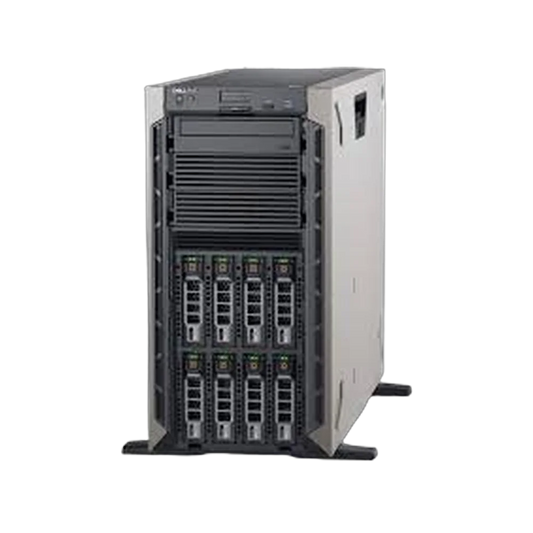



Most outages were visible weeks before they happened. A degraded RAID battery, a drive logging errors since spring,...
Spinning drives still run most backup targets, file servers, and NAS builds, and the market is full of...
RAID levels appear in nearly every storage decision, usually as though everyone already knows why RAID 6 beats...
A backup server isn't a production server with the workload turned down. It has inverted priorities, and Veeam...


