

Backup Server Build Guide: Hardware for Veeam and Proxmox Backup Server
A backup server isn't a production server with the workload turned down. It has inverted priorities, and Veeam...

Enterprise servers have changed quickly over the past few years. CPU core counts have grown, memory has become faster, and storage has moved far beyond traditional spinning disks. One of the most important changes inside modern servers is the move from PCIe Gen3 to PCIe Gen4.
PCIe is the backbone that connects CPUs to NVMe storage, GPUs, network cards, RAID controllers, and accelerators. When PCIe bandwidth increases, the entire server gains more room to perform.
For IT teams and business leaders, understanding the jump from Gen3 to Gen4 helps answer a practical question: when does newer server architecture deliver real value?
PCIe Gen3 remains a strong choice for general enterprise workloads, file services, backup targets, ERP systems, and light to moderate virtualization.
PCIe Gen4 is better suited for NVMe-heavy storage, dense virtualization, high-speed networking, GPUs, AI, analytics, and future-ready infrastructure.
PCIe, or Peripheral Component Interconnect Express, is the high-speed interface used to connect expansion devices inside a server. It handles data movement between the processor and the components that drive modern workloads.
In enterprise servers, PCIe is essential for:
A server can have powerful CPUs and large memory capacity, but if data cannot move fast enough between components, performance can still be limited.
The biggest difference between PCIe Gen3 and PCIe Gen4 is bandwidth. PCIe Gen4 doubles the per-lane throughput of Gen3, allowing the same physical slot to carry much more data without increasing slot size or lane count.
| Feature | PCIe Gen3 | PCIe Gen4 |
|---|---|---|
| Transfer Rate per Lane | 8 GT/s | 16 GT/s |
| Approx. Bandwidth x16 Slot | ~16 GB/s | ~32 GB/s |
| Common Use in Servers | 13th / 14th Gen enterprise systems | 15th Gen and newer enterprise systems |
| Best Fit | General enterprise workloads | High-performance, storage-heavy, and accelerator-driven workloads |
PCIe Gen3 served the enterprise market well for years. It supported virtualization, business applications, file services, and standard enterprise storage with strong reliability.
But enterprise workloads have changed. Modern servers now handle denser virtualization clusters, real-time analytics, large database transactions, AI workloads, heavy NVMe traffic, and faster network demands.
PCIe Gen4 reduces pressure on the internal server bus and gives modern infrastructure more headroom for storage, networking, and accelerator performance.
The move to PCIe Gen4 does not improve only one part of a server. It helps the platform as a whole by improving data movement across storage, networking, GPUs, and expansion devices.
Storage Path
PCIe Gen4 allows modern NVMe SSDs to deliver higher read/write performance and lower latency, especially for databases, VM storage, analytics, backup, and high-performance file systems.
Accelerator Path
AI inference, machine learning, VDI, rendering, and analytics workloads benefit from faster communication between CPUs, GPUs, accelerators, and storage.
Network Path
PCIe Gen4 helps ensure that 25GbE, 50GbE, and 100GbE adapters are not constrained by older internal bus bandwidth.
Scale Path
Modern servers often combine NVMe drives, high-speed NICs, and GPUs. PCIe Gen4 gives these devices more room to operate together.
Scalability is a major buying factor for enterprise infrastructure. Many organizations do not buy servers only for today’s needs. They buy for growth over three to five years.
More Headroom for Future Expansion
As storage gets faster and workloads grow, Gen4 provides room for future upgrades without requiring a full platform refresh as quickly.
Better Fit for Dense Virtualization
In virtualized environments, faster PCIe helps storage and networking keep pace with CPU and memory, improving consistency across virtual machines.
Improved Support for Mixed Workloads
A single system may handle virtualization, storage, analytics, and backup roles. PCIe Gen4 gives modern servers more flexibility for mixed environments.
The value of PCIe Gen4 becomes easier to see in real deployment scenarios.
Supports denser VM counts, faster shared storage, and better responsiveness in VMware, Hyper-V, and Proxmox environments.
SQL Server, PostgreSQL, Oracle, and transaction-heavy systems benefit from faster I/O and lower storage latency.
AI pipelines and analytics platforms move large data sets between CPUs, GPUs, and storage. Gen4 improves data flow across those components.
Faster storage and networking can improve backup throughput and speed up restore operations when recovery expectations are high.
Not every business needs PCIe Gen4 right away. PCIe Gen3 servers remain a strong option for many use cases, especially when budget matters more than top-end performance.
PCIe Gen3 is still well suited for file servers, domain services, light to moderate virtualization, backup targets, ERP applications, and general business infrastructure.
The key is matching the platform to the workload, rather than assuming newer is always necessary.
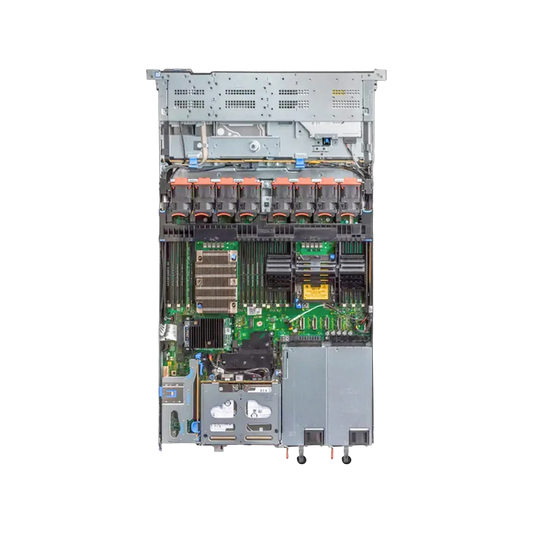
The Dell PowerEdge R750 is a strong example of how PCIe Gen4 supports the next stage of enterprise server performance.
As a newer-generation 2U rack server, the R750 is designed for demanding workloads that need more than raw CPU power. Its platform takes advantage of PCIe Gen4 to support faster NVMe storage, better GPU support, higher expansion bandwidth, improved networking capability, and future workload growth.
Compared with older Gen3-based systems, the R750 reflects a broader architectural shift toward balanced performance across compute, storage, networking, and expansion.
Value Path
Performance Path
The move from PCIe Gen3 to Gen4 is one of the most important changes in modern enterprise server design. It directly affects how well a server can support fast storage, dense virtualization, high-speed networking, and accelerator-driven workloads.
PCIe Gen3 remains useful and cost-effective for many business environments. But PCIe Gen4 enables newer platforms to handle modern infrastructure demands with greater speed, flexibility, and scalability.
For organizations investing in servers that need to support growth, performance-sensitive applications, and next-generation expansion, PCIe Gen4 is a meaningful step forward.









A backup server isn't a production server with the workload turned down. It has inverted priorities, and Veeam...
The question behind every refurbished purchase: how long before it fails? The answer comes from failure data on...
A rack has to outlast everything else in the server room. Buy a shallow one to save money...
"Use enterprise SSDs" is correct advice — and incomplete, because the category spans drives rated for a few...


