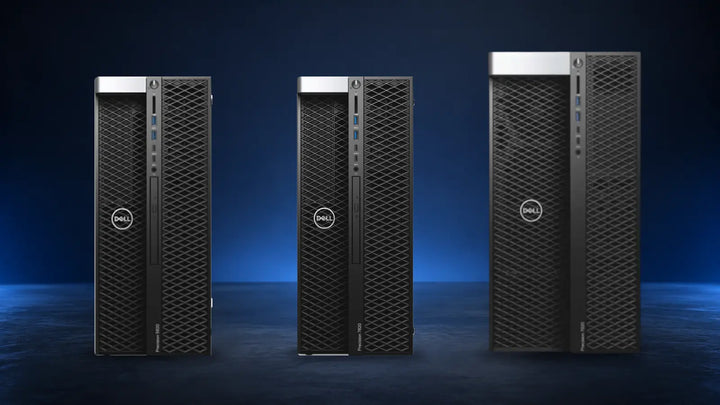
Height decides how many drives, GPUs and expansion cards a server takes, how loud it runs, how much power it draws and how many fit in a rack.
The short answer
2U is the default. Go 1U for density, 4U for GPUs, four sockets or lots of disks.
Compare all three ↓1U
Density
Dell R640 · HPE DL360 Gen10
44.45 mm · 2 CPUs · up to 10 drives · 2 to 3 PCIe
Choose it if
- You need many compute nodes per rack
- Storage lives on a SAN, NAS or NVMe
- No GPUs beyond one low-profile card
2U
The default
Dell R740 · HPE DL380 Gen10
88.9 mm · 2 CPUs · up to 30 drives · up to 8 PCIe
Choose it if
- One server does several jobs
- You want 12 large drives or 24 small ones
- You may add GPUs, NICs or HBAs later
4U
Specialist
Dell R940xa · HPE DL580 Gen10
177.8 mm · 4 CPUs or 4 to 8 GPUs · up to 48 drives · up to 16 PCIe
Choose it if
- Four CPUs or 4 to 8 GPUs
- 36 or more drives in one chassis
- A tower that must move into a rack
Every rack server is sold by its height: 1U, 2U or 4U. The number looks like a minor packaging detail, but it is the single specification that decides how many drives a server can hold, how many GPUs and expansion cards it can take, how loud it runs, how much power it draws, and how many servers fit in a rack. Choose the wrong height and you either pay for space you never use or run out of room for the second RAID controller, the third GPU or the twelve hard drives you needed a year later.
The three sizes have settled into clear roles. 1U servers such as the Dell PowerEdge R640 and HPE ProLiant DL360 pack two processors and up to ten drives into a slim chassis built for density. 2U servers such as the R740 and DL380 trade half a rack of density for triple the expansion, and have become the default general-purpose server. 4U servers are specialists: four-socket databases, multi-GPU AI nodes and high-capacity storage, plus the tower servers that convert to rack mounting.
This guide explains what a rack unit is, compares 1U, 2U and 4U servers on density, expansion, storage, noise, power and cost, shows which Dell and HPE models fall into each class, and gives a clear recommendation for each workload.
What a rack unit actually is
A rack unit, written U or RU, is a height of 1.75 inches (44.45 mm), defined by the EIA-310 standard that also fixes the 19-inch width of every server rack. A 1U server is 44.45 mm tall, a 2U server is 88.9 mm, and a 4U server is 177.8 mm. The width is identical, and the depth varies by model rather than by U, typically 700 to 800 mm for modern servers.
1U
1.75 in · 44.45 mm
2U
3.5 in · 88.9 mm
4U
7 in · 177.8 mm
Heights are to scale. Width is always 19 inches; depth depends on the model.
A standard full-height rack is 42U, about 2 metres tall, and the U count is what you are really buying when you rent colocation space or plan a server room. Every switch, patch panel, UPS and PDU also occupies rack units, so the server height decides how much of the 42U is left for everything else. Our server rack buying guide covers depth, weight ratings and airflow in detail.
The three form factors compared
The processors, memory and network options inside a 1U and a 2U server from the same generation are usually identical. What the extra height buys is physical room: more drive bays across the front, more PCIe slots at the back, larger fans, larger power supplies and space for double-width graphics cards.

1U, 2U and 4U servers in the same 19-inch rack, heights to scale. The taller the chassis, the more drive bays, fans and expansion slots it can carry.
1UDell R640, R650, R630 · HPE DL360 Gen9, Gen10
DensityThe slimmest full-featured server. Two processors, 24 memory slots and up to ten 2.5-inch drives in a 44.45 mm chassis. Built for virtualisation farms, web and application tiers, and any job where the count of servers matters more than what each one holds.
Height
44.45 mm
Drive bays
Up to 10 × 2.5" or 4 × 3.5"
PCIe slots
2 to 3
GPUs
0 to 2 single-width
Advantages
- Up to 40 servers in a 42U rack
- Lowest cost per server, new or refurbished
- Same CPUs and memory as the 2U equivalent
- Lighter and easier to rack: about 15 to 22 kg
- Ideal when storage sits on a SAN, NAS or Ceph
Limitations
- Only 2 or 3 PCIe slots, mostly low profile
- No double-width GPUs
- Maximum 4 large 3.5-inch drives
- Small 40 mm fans: loud and sensitive to heat
- Power supplies top out around 1100 to 1600W
2UDell R740, R740xd, R750, R730 · HPE DL380 Gen9, Gen10
The defaultThe general-purpose workhorse. The same two processors and 24 DIMM slots as a 1U server, with up to eight PCIe slots, three double-width GPUs, and 12 large or 24 to 30 small drives. Most business servers sold today are 2U, and most refurbished stock is too.
Height
88.9 mm
Drive bays
Up to 24 to 30 × 2.5" or 12 to 18 × 3.5"
PCIe slots
Up to 8
GPUs
Up to 3 double-width
Advantages
- Room for GPUs, HBAs, NICs and NVMe cards together
- 12 × 3.5-inch bays: 240TB raw with 20TB drives
- Larger 60 mm fans run slower and quieter
- Power supplies up to 2000W and beyond
- Widest choice of refurbished configurations
Limitations
- Half the servers per rack of 1U
- Heavier: about 25 to 35 kg fully loaded
- Costs slightly more than the 1U equivalent
- Still limited to two processors
4UHPE DL580, ML350 · Dell R940xa, XE8545, T640 · Supermicro storage
SpecialistFour rack units covers three different machines: four-socket servers such as the HPE DL580 Gen10 with 48 DIMM slots and 16 PCIe slots; GPU servers with four to eight double-width accelerators; and storage chassis holding 36 to 60 large drives. Tower servers such as the ML350 Gen10 also rack-mount in 4U.
Height
177.8 mm
Drive bays
Up to 48 × 2.5" or 36 to 60 × 3.5"
PCIe slots
Up to 16
GPUs
4 to 8 double-width
Advantages
- Four processors and up to 6TB of memory in one system
- Four or more 300W GPUs on 1600W or larger supplies
- Petabyte-class storage in a single chassis
- Big, slow fans: the quietest rack form factor
- Towers convert to 4U or 5U with a rail kit
Limitations
- Only 10 per rack, and power limits usually bite first
- Heavy: 40 to 60 kg, needs two people and strong rails
- Highest purchase price and scarce on the refurbished market
- Overkill for ordinary virtualisation and file serving
Density, power and cooling in a 42U rack
The obvious advantage of a 1U server is how many fit in a rack. Leaving 2U at the top for switches, a 42U rack holds 40 1U servers, 20 2U servers or 10 4U servers. The less obvious point is that very few server rooms can power or cool a full rack of 1U servers.

The same 42U rack filled three ways, with 2U reserved for switches. Forty 1U servers give 80 sockets but draw about 16 kW and weigh around 800 kg loaded; twenty 2U servers give 40 sockets at about 10 kW and 600 kg; ten 4U servers give 40 sockets at 12 kW or more and about 500 kg.
Power and cooling limit density before space does. A typical office server room or small data centre delivers 3 to 7 kW per rack. Forty 1U servers drawing 400W each need 16 kW and the cooling to match, which is why real racks of 1U servers are rarely more than half full. Size the UPS and the air conditioning to the servers you plan to run, not the rack units available. Our guides to UPS sizing and server room cooling show the calculations.
| Per server | 1U | 2U | 4U |
|---|---|---|---|
| Typical power draw, two CPUs under load | 300 to 500W | 350 to 600W | 800W to 3 kW (4 sockets or GPUs) |
| Power supply options | 495W to 1600W | 495W to 2400W | 1600W × 2 to 4 |
| Fan size | 40 mm, high speed | 60 mm | 80 to 120 mm |
| Noise under load | Loudest | Moderate | Quietest of the three |
| Tolerance of warm intake air | Lowest | Good | Best |
| Heat per rack when full | Highest | Moderate | Depends on GPUs |
The fan difference matters more than it looks. A 1U chassis has room only for 40 mm fans, which must spin very fast to move enough air, so 1U servers are the loudest and the first to throttle when the room runs warm. In a hot climate, that is a reason to prefer 2U for any server outside a properly cooled room.
Expansion and storage compared
This is where the height pays for itself. The table uses the Dell PowerEdge R640, R740 and R740xd and the HPE ProLiant DL580 Gen10 as reference models, because they are the most common examples of each class on the refurbished market.
| Spec | 1U (R640 / DL360 Gen10) | 2U (R740, R740xd / DL380 Gen10) | 4U (DL580 Gen10 / R940xa) |
|---|---|---|---|
| CPU sockets | 2 | 2 | 4 |
| DIMM slots | 24 | 24 | 48 |
| Maximum memory | 3TB | 3TB | 6TB (12TB with persistent memory) |
| 2.5-inch bays | 8 to 10 front, 2 rear | 16 to 24 front, up to 4 mid and 4 rear | Up to 48 |
| 3.5-inch bays | 4 | 8 to 12 front, up to 18 total | Storage models: 36 to 60 |
| NVMe drives | Up to 10 | Up to 24 | Up to 20 |
| PCIe slots | 2 to 3 | Up to 8 | Up to 16 |
| GPU support | Up to 2 single-width, 75W | Up to 3 double-width, 300W | 4 to 8 double-width |
| Power supplies | 2 × up to 1600W | 2 × up to 2400W | 4 × 1600W |
| Depth | About 735 mm | About 715 to 770 mm | About 750 to 800 mm |
| Weight, loaded | About 22 kg | About 33 kg | About 52 kg |

From the back, the height difference is all expansion: two or three low-profile slots and two slim power supplies on a 1U, up to eight slots and two rear drive bays on a 2U, and up to sixteen slots with three fan modules on a 4U.
Storage capacity is the most common reason to choose 2U. A 1U server holds four 3.5-inch drives, so a backup or file server tops out around 80TB raw. A 2U server with 12 bays reaches 240TB with the same 20TB drives, and an R740xd or DL380 with mid-plane and rear bays goes further. See our enterprise hard drive buying guide for drive choices.
Which Dell and HPE models are 1U, 2U and 4U?
The model number tells you the height on both brands. Dell's R6xx series is 1U and R7xx is 2U; HPE's DL360 is 1U and DL380 is 2U. Tower models (Dell T, HPE ML) rack-mount at 4U or 5U with a conversion kit.
| Form factor | Dell PowerEdge | HPE ProLiant | Generation |
|---|---|---|---|
| 1U · two sockets, density | |||
| 1U | R630, R430 | DL360 Gen9, DL160 Gen9 | Xeon E5 v3 / v4, DDR4-2400 |
| 1U | R640, R440 | DL360 Gen10 | Xeon Scalable 1st / 2nd gen, DDR4-2933 |
| 1U | R650, R650xs, R450 | DL360 Gen10 Plus | Xeon Scalable 3rd gen, DDR4-3200, PCIe 4.0 |
| 1U | R660 | DL360 Gen11 | Xeon Scalable 4th / 5th gen, DDR5 |
| 2U · two sockets, expansion | |||
| 2U | R730, R730xd | DL380 Gen9 | Xeon E5 v3 / v4, DDR4-2400 |
| 2U | R740, R740xd, R7425 | DL380 Gen10, DL385 Gen10 | Xeon Scalable 1st / 2nd gen, EPYC 7001 / 7002 |
| 2U | R750, R750xa, R7525 | DL380 Gen10 Plus, DL385 Gen10 Plus | Xeon Scalable 3rd gen, EPYC 7003 |
| 2U | R760, R760xa | DL380 Gen11 | Xeon Scalable 4th / 5th gen, DDR5 |
| 4U and rackable towers · specialist | |||
| 4U, four sockets | R940, R940xa | DL580 Gen10 | Xeon Scalable, 48 DIMMs |
| 4U, GPU | XE8545, XE9680 (6U) | Apollo 6500 Gen10 Plus | 4 to 8 double-width GPUs |
| 4U to 5U, tower | T440 (5U), T640 (5U), T630 (5U) | ML350 Gen9 (5U), ML350 Gen10 (4U) | Rail kit converts tower to rack |
1U servers in stock
All servers →


2U servers and rackable towers in stock
HPE servers →


The R6xx and DL360 are 1U, the R7xx and DL380 are 2U, and the T and ML towers rack at 4U or 5U. Same processors, same memory, different room to grow.
For the choice within a class, see HPE DL360 vs DL380, Dell R640 vs R650 vs R660 and Dell R740 vs R750. If you are weighing a rack server against a tower at all, start with tower server vs rack server.
Real-world workload guide
Match the height to what the server will hold, not to the rack space you happen to have.
Virtualisation cluster with shared storage
Compute nodes need CPUs, memory and 25GbE, not local disks. 1U hosts give the most nodes per rack and per kilowatt.
Single all-in-one business server
File, domain, applications and backups on one machine want 8 to 12 large drives and room for a second controller. 2U, or a tower.
Backup, NAS, Veeam or TrueNAS target
Capacity per chassis decides it: 12 × 3.5-inch bays in 2U, or a 36-bay 4U for 500TB and up.
Hyper-converged and Ceph nodes
Each node needs local NVMe or SAS, two HBAs or NICs and balanced capacity. 2U with 12 to 24 bays is the standard building block.
Database and ERP
Two sockets, lots of memory and fast NVMe fit in 2U. Go 4U only when a single instance needs four sockets or more than 3TB of RAM.
AI training, GPU rendering, inference farms
One or two GPUs fit a 2U R740 or DL380; four to eight GPUs need a 4U XE8545, R940xa or Apollo-class chassis and 3 kW of power.
Web, application and edge servers
Stateless tiers scale out, so smaller and more is better. 1U, or short-depth 1U for branch cabinets.
CCTV and video recording
Continuous writes to many large drives. 2U with 12 LFF bays for most sites; 4U storage for city-scale recording.
If you are not sure, buy 2U. It runs every workload a 1U can, holds three times the storage and expansion, and costs only a little more. Buy 1U when you know you will fill a rack, and 4U when a specific GPU, socket or drive count demands it.
A worked example: planning one 42U rack
Rack units add up faster than expected once the network, power and cable management are included. Here is a realistic layout for a small business or branch rack with two hypervisors, a backup server and a storage node, with room to grow. It leaves a 1U gap between appliances, filled with a blanking panel, which keeps hot exhaust from recirculating and makes cabling and servicing far easier.

The same layout as an elevation drawing, with a 1U blanking panel between appliances for airflow and cable access. Network at the top, servers in the middle, 15U free, and the UPS at the bottom.
Heavy items go at the bottom. The UPS and any 4U storage chassis belong in the lowest positions, both for stability and because sliding a 50 kg server out at head height is dangerous. Check the rack's static load rating; a loaded 42U of 2U servers approaches 600 kg.
Cost vs performance
On the refurbished market the price difference between a 1U and a 2U server of the same generation is small, usually 10 to 25 percent for the chassis, because the processors, memory and drives cost the same either way. The 2U premium buys the bays and slots. 4U servers are a different market: four-socket and GPU chassis sell in small numbers, hold their value, and are often cheaper to replace with two 2U servers.
| Requirement | Cheapest sensible choice | Why |
|---|---|---|
| Two virtualisation hosts, SAN storage | 2 × 1U R640 or DL360 Gen10 | No local storage or GPUs needed; lowest cost and power |
| One all-in-one server with 40TB of storage | 1 × 2U R740 8 LFF or DL380 Gen10 12 LFF, or a T440 tower | Large drives need 3.5-inch bays that 1U lacks |
| Backup target, 150TB raw | 1 × 2U R740xd or DL380 12 LFF with 14TB to 16TB drives | Twelve bays reach the capacity in one chassis |
| GPU server, 2 cards | 1 × 2U R740 or DL380 Gen10 with the GPU enablement kit | 2U takes up to three 300W double-width GPUs |
| GPU server, 4 to 8 cards | 1 × 4U XE8545, R940xa or Supermicro GPU chassis | Only 4U has the slots, cooling and 3 kW of power |
| Database needing 4 sockets or 6TB RAM | 1 × 4U DL580 Gen10 or R940 | Two 2U servers cannot share one memory space |
Count the hidden costs of height. Rails, bezels and cable arms are sized per form factor. Colocation is billed per U, so twenty 2U servers cost twice the rack rent of twenty 1U servers. On the other side, a 1U server that needs an external disk shelf for storage ends up taller and dearer than the 2U that held the drives internally.
Other form factors you will meet
1U, 2U and 4U cover the vast majority of rack servers, but a few other shapes appear in catalogues and on the refurbished market.
| Form factor | Examples | What it is for |
|---|---|---|
| 2U, four nodes (2U4N) | Dell C6420, C6520; HPE Apollo 2000 | Four independent servers in one 2U chassis: 1U density doubled, shared fans and power |
| Blade chassis (7U to 10U) | Dell MX7000, M1000e; HPE Synergy, c7000 | Up to 16 half-height blades with shared networking; large-scale virtualisation |
| 3U | Some storage arrays and GPU servers | Rare; usually a 3U storage shelf or a 3U GPU box |
| 5U tower conversion | Dell T440, T640; HPE ML350 Gen9 | Tower servers racked on their side; 5U on most models, 4U on ML350 Gen10 |
| Short-depth 1U | Dell R350, XR series; HPE DL20, DL325 | Branch offices, retail and wall cabinets under 600 mm deep |
| 6U to 8U GPU systems | Dell XE9680, NVIDIA DGX H100 | Eight data-centre GPUs with 10 kW of power; AI training only |
Where form factors are heading
The 19-inch rack has outlasted every server design placed in it, and the 1U, 2U and 4U classes will remain. Four shifts are changing what goes inside them.
Installed base
1U and 2U, two sockets
R640 / R740 era
The refurbished market standard
Current
2U with 24 NVMe
PCIe 4.0 / 5.0
All-flash 2U replaces 4U storage for many uses
Growing
GPU-dense 2U and 4U
3 to 8 GPUs
AI moves accelerators into every server room
Emerging
Liquid cooling, 21-inch OCP
30 kW+ racks
Hyperscale designs trickle down slowly
First, NVMe has shrunk storage: 24 NVMe drives in 2U now deliver the capacity and far more performance than a 4U spinning-disk chassis of a few years ago. Second, GPUs have pushed power per server up sharply, so a rack's electrical and cooling budget, not its 42U, is the planning constraint. Third, single-socket servers with 64 to 128 cores are replacing many two-socket 1U nodes. Fourth, liquid cooling and wider 21-inch racks are standard in hyperscale data centres and are beginning to appear in enterprise catalogues.
For a business buying in 2026, none of this changes the practical advice. 2U two-socket servers remain the best all-round value, 1U suits dense compute, and 4U is for the few workloads that genuinely need four sockets, many GPUs or dozens of drives.
Conclusion
Rack height is a decision about expansion, not just space. A 1U server such as the Dell R640 or HPE DL360 gives the most compute per rack and per watt, and is the right choice for virtualisation and application tiers that keep their storage elsewhere. A 2U server such as the R740 or DL380 carries the same processors with three times the drives and slots, which is why it is the default for almost every business server, from an all-in-one file and application server to a backup target or a two-GPU workstation host.
4U servers are specialists. Buy one when a workload needs four sockets, four or more GPUs, or more than 24 drives in a single chassis, and remember that a tower server can rack at 4U or 5U if the room changes later. In every case, check the power and cooling available per rack before the U count, because that is the limit most server rooms reach first.
Tell us what the server has to hold. We'll recommend the height.
ServerDove supplies refurbished Dell PowerEdge and HPE ProLiant 1U, 2U and tower servers, configured and tested, with rails and delivery across Qatar.
Common questions
What does 1U, 2U and 4U mean on a server?
U stands for rack unit, a height of 1.75 inches or 44.45 mm defined by the EIA-310 standard. A 1U server is one unit tall, a 2U server is two units (88.9 mm) and a 4U server is four units (177.8 mm). All fit a standard 19-inch rack.
Is a 2U server more powerful than a 1U server?
Not in processing power. A 1U and 2U server of the same generation take the same CPUs and memory. The 2U chassis adds drive bays, PCIe slots, GPU support, larger fans and larger power supplies, so it can hold more and run quieter and cooler.
How many servers fit in a 42U rack?
Physically, 42 1U servers, 21 2U servers or 10 4U servers. In practice, switches, patch panels, a UPS and PDUs take 5 to 10U, and power and cooling limits usually cap a rack at 10 to 20 servers long before the space runs out.
Can a 1U server take a GPU?
Only small ones. Most 1U servers accept one or two single-width, low-profile cards up to 75W, such as the NVIDIA T4 or L4. Double-width 300W GPUs need a 2U chassis, and four or more need 4U.
Are 1U servers louder than 2U servers?
Yes. A 1U chassis uses 40 mm fans that must spin very fast to move enough air, so 1U servers are the loudest form factor and the first to throttle in a warm room. 2U servers use 60 mm fans and run noticeably quieter; 4U and towers are quieter still.
Can I rack-mount a tower server?
Most business towers can. The Dell PowerEdge T440 and T640 and the HPE ML350 Gen9 convert to 5U rack units with the manufacturer's rail kit, and the ML350 Gen10 converts to 4U. The server lies on its side in the rack.
Which is better for a small business, 1U or 2U?
For a single server that must do everything, 2U or a tower, because the extra drive bays and slots cover future needs. For two or more hosts with shared storage, 1U servers are cheaper to buy and run. When in doubt, 2U is the safer choice.